Do you dream of exploring a magical world full of monsters, crafting tools, and building structures? If so, then Minecraft is the perfect game for you! With its simple yet addictive gameplay, Minecraft has become one of the most popular video games ever created. Now, with its mobile version, you can enjoy playing it from anywhere on your phone or tablet. This guide will show you how to play Minecraft on your mobile device and explore all the exciting features it has to offer. So grab your device and let’s get started!
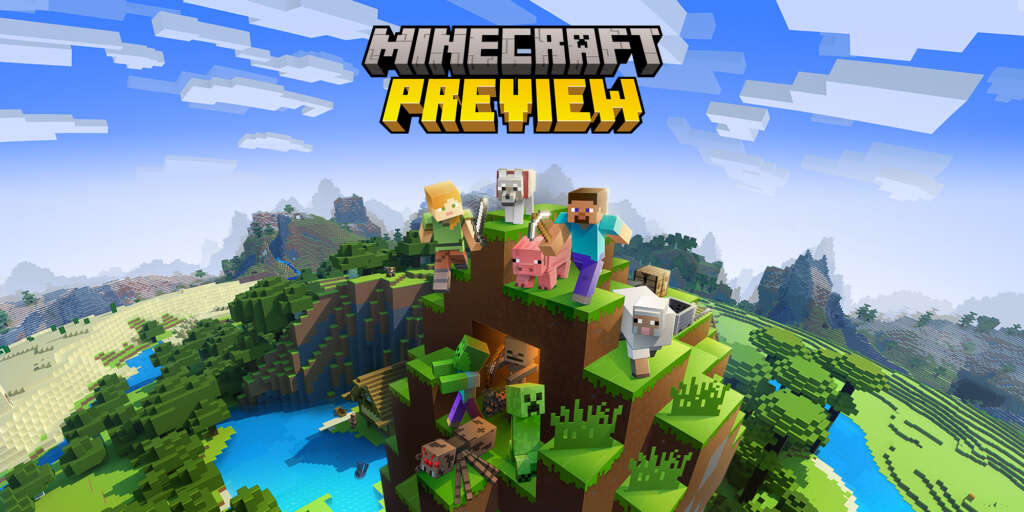
What is Minecraft?
Minecraft is a creative sandbox game developed by Mojang Studios and released in 2011. The game consists of two modes – Creative Mode and Survival Mode. In Creative Mode, players have unlimited resources and can build whatever they wish using blocks of various materials from wood to stone. In Survival Mode, players have limited resources, must craft tools such as pickaxes, and must survive against monsters. Players are also able to explore the expansive world in both modes.
Minecraft has become incredibly popular for its open-ended play style that allows for endless possibilities and creativity. It’s a great game for both kids and adults alike! With its mobile version – Minecraft Pocket Edition (PE) – you can now enjoy the same features on your Android device or iOS device. You can even download a trial version of the game to see if it’s right for you before investing in the full version, which is an expensive but worthwhile investment.
Overall, Minecraft is an amazing game that allows for countless possibilities and hours of creativity. Whether you choose to play Creative Mode or Survival Mode, it’s sure to be a great experience! Ready to give Minecraft a try? Read on to learn how to download the game.
Downloading the Game
Are you ready to start playing Minecraft on your mobile device? Downloading the game is easy and straightforward. First, make sure that your device meets the minimum requirements to run the game. For Android devices, you’ll need a quad-core processor running at least 1.4GHz, 1GB RAM, and an internet connection. For iOS devices, you’ll need an A9 processor or above and 2GB RAM.
Once you’ve checked that your device meets the requirements, head to either the Google Play Store (for Android) or App Store (for iOS) and search for “Minecraft PE” (Pocket Edition). It should be one of the first results in both stores. Download and install it like any other app – accept any permissions that are necessary for installation – and then launch it! From here, you can play the base game for free or purchase additional content such as additional tools like wooden pickaxes or stone pickaxes, blocks of various materials such as wooden planks or cobblestones, etc. You can even connect with friends who also play the game by adding them to your friend list so that you can join their games!
Downloading Minecraft PE is simple and painless – all that’s left is to get creative! So what are you waiting for? Get started now and explore endless possibilities in this amazing game!
Now that you know how to download and play Minecraft PE, it’s time to get creative and explore the endless possibilities of this amazing game! But before you do, don’t forget to brush up on your knowledge with our guide on Getting Started!
Getting Started
Getting started with Minecraft Pocket Edition (PE) is easy. First, make sure that your device meets the minimum requirements to run the game. Once you’ve checked that your device meets the requirements, head to either the Google Play Store (for Android) or App Store (for iOS) and search for “Minecraft PE”. Download and install it like any other app, and then launch it!
From here, you can choose to play in Creative Mode or Survival Mode. In Creative Mode, you are given unlimited resources – tools like wooden pickaxes or stone pickaxes, blocks of various materials such as wooden planks or cobblestone – so you can build whatever comes to mind! In Survival Mode, however, you need to gather resources yourself by mining for them in caves and harvesting them from trees. You’ll also have to find food and defend yourself against hostile mobs.
Once you’re ready to go, connect with friends who also play the game by adding them to your friend list so that you can join their games! Finally, remember that while there is a free-to-play mobile version of Minecraft available on both Android and iOS devices, there are still certain features – such as customizing game coding – which will cost money. So be aware of what costs may incur before diving into a full game experience!
No matter how you choose to play Minecraft Pocket Edition, the possibilities are endless! Now that you’ve got the basics down, let’s take a look at what device requirements your device needs to meet in order to run the game.
Device Requirements
If you’re looking to play Minecraft Pocket Edition on your mobile device, there are certain requirements that must be met. You will need an Android device running at least version 4.2 or an iOS device running at least version 10.0. Additionally, the game requires a strong internet connection in order to connect with other players and access the full base game content.
It is important to note that while there is a free-to-play trial version of the game available for both Android and iOS devices, the actual game can be quite expensive if you choose to purchase additional content like add-ons or gacha games. Furthermore, playing with friends requires that they also have the same version of the game installed on their own devices and added to each other’s friend list in order for all players to join the same server.
By understanding what device requirements are needed and being aware of potential costs, you can make sure that your experience with Minecraft Pocket Edition is as enjoyable as possible!
Purchasing the Game
Purchasing Minecraft Pocket Edition for your mobile device is a relatively easy process. The game is available for purchase on both the Google Play Store and the Apple App Store. Once you have located the game, you can simply click “Buy” and follow the instructions to complete your purchase.
The cost of Minecraft Pocket Edition varies depending on what version of the game you choose to purchase. The basic version of the game costs around $7 and includes access to both creative mode and survival mode. Additionally, there are often options to add additional content such as skins, maps, or packs that come with an extra cost. Depending on what type of content you are looking for, it is important to do some research into each option before making any purchases.
By knowing all of your purchasing options beforehand, you can make sure that your experience with Minecraft Pocket Edition is as enjoyable as possible!
Free-to-Play Mobile Version
Minecraft Pocket Edition is a free-to-play mobile version of the popular sandbox game, Minecraft. This version of the game allows players to enjoy all of the same features as the regular game, but with some great additional features that make playing on a mobile device even more fun and convenient. The free-to-play version includes access to both creative mode and survival mode, as well as a trial version that allows players to test out the game for free before making any purchases.
The game also has very low system requirements in order to run on most mobile devices. Players can get started right away without needing an expensive gaming setup or high-performance device. Additionally, there are no microtransactions required in order to access all of the content within the game.
Players can also take advantage of many different tools and resources within Minecraft Pocket Edition such as stone pickaxes, wooden pickaxes, and wooden planks which can be used to build structures and create items. Players can also connect with their friends through an internet connection and join them for a friendly game.
Overall, Minecraft Pocket Edition is an excellent option for those looking for a quality free-to-play mobile strategy game that doesn’t require any coding or complex rulesets like other gacha games do. With its easy accessibility and low system requirements, anyone can jump into this beloved world of blocks and start building their own adventures!
Installing Minecraft on Your Mobile Device
Installing Minecraft on Your Mobile Device couldn’t be simpler. All you need is a compatible device and the latest version of the game from your phone or tablet’s app store. Once you have downloaded and installed the game, you can start playing right away! The base game of Minecraft Pocket Edition is free, however, there are some additional features that require an in-app purchase if you want to access them.
When it comes to system requirements, most mobile devices should be able to run Minecraft with no issues. However, it is always a good idea to check the specs before downloading as certain versions may not work with certain phones or tablets. Additionally, if you plan on playing with friends online then make sure that everyone has the same version installed so that they can join each other’s games easily.
Overall, getting started with Minecraft on your mobile device doesn’t require any complex steps or overly expensive hardware – just download and install the game and get ready for hours of fun building houses, battling monsters, and exploring endless worlds!
Exploring the Basics of the Game
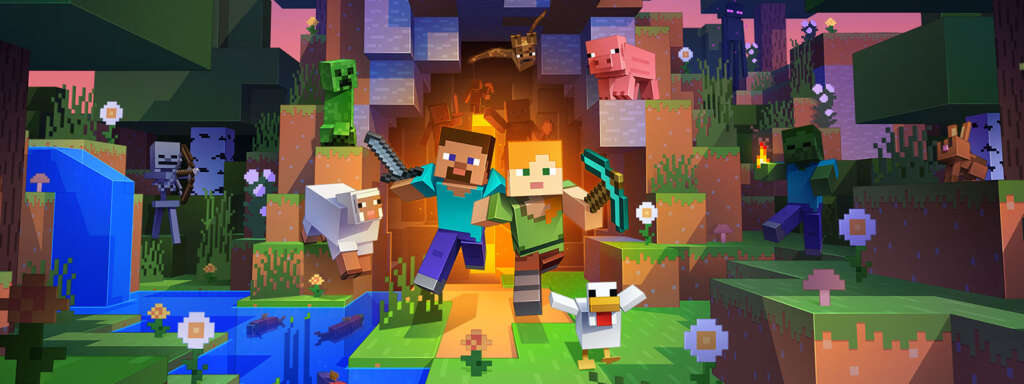
Once you’ve installed Minecraft on your mobile device and are ready to start playing, the first thing you’ll want to do is explore the basics of the game. In creative mode, players can access a variety of tools such as stone pickaxes and wooden planks to build structures out of blocks. You will also be able to craft items like weapons, armor, and tools using more advanced materials like iron ore or diamond.
In survival mode, players have to gather resources in order to survive in the world, with monsters and other environmental hazards making things even more challenging. Players will also need to craft tools like wooden pickaxes and build shelters in order to protect themselves from hostile mobs.
Both modes require an internet connection if you want to play with friends or join servers hosted by other players. If you don’t have an active internet connection then there’s no need to worry – you can still enjoy the game solo!
All things considered, Minecraft is a great game for anybody who enjoys building and exploring new worlds without breaking the bank – it’s a very affordable game compared to other expensive titles out there, so it’s definitely worth checking out if you’re looking for a fun free-to-play mobile strategy game or gacha game that won’t cost you any money upfront.
With the ability to build, explore, and craft in both creative and survival modes, Minecraft is an affordable and entertaining way to pass the time. Get ready for an exciting adventure as you start a new world in creative or survival mode!
Starting a New World in Creative or Survival Mode
When starting a new world in either Creative or Survival mode, players are presented with a wealth of possibilities. In Creative mode, players can use unlimited materials to create anything they can imagine. This is great for those who want to build structures, vehicles, and even entire cities without any restrictions. It’s also an excellent way to get used to the controls and the concepts behind Minecraft while honing creative skills.
In Survival mode, on the other hand, players will have limited resources and must craft tools and build shelters in order to survive in the world. They will also need to protect themselves from hostile mobs while gathering resources like wood and stone in order to progress through the game. This is an excellent way for experienced gamers to test their strategic skills as they navigate through increasingly difficult levels of play.
Regardless of which mode you choose, Minecraft offers hours of fun for all ages. With its intuitive controls and engaging gameplay, it’s no wonder that this popular video game has become one of the most successful titles ever released on mobile devices!
Crafting Items and Building Structures with a Variety of Resources
Crafting items and building structures in Minecraft is a key part of the game. Players can craft items such as stone pickaxes, wooden pickaxes, wooden planks, sticks, and more. Once crafted, these items can be used to build structures such as homes, castles, towers, and more. Crafting is a crucial part of the game as it allows players to progress through the game by gathering resources and crafting tools that will be needed for various tasks.
Players can also find rare materials such as diamonds which are used to create powerful weapons or armor that can help them survive longer in hostile environments. Building structures with a variety of resources adds an extra layer of complexity to the game and encourages players to explore different ways to complete their goals. Developing strategies for efficient building helps players become better at construction while also enjoying the creative process.
In order to craft all of these incredible items and build beautiful structures in Minecraft, players need access to an internet connection and a compatible device such as an Android device or iOS device. It’s important to note that certain devices may have compatibility issues with some features of the game so it’s important to read up on device requirements before playing the full version of Minecraft or downloading a trial version of the game.
Working with Stone Pickaxes, Wooden Pickaxes, and Wooden Planks
Working with stone pickaxes, wooden pickaxes, and wooden planks is a fundamental part of Minecraft. Stone pickaxes are used to mine ores and other materials found in the game, while wooden pickaxes can be crafted to help break blocks faster than with bare hands. Wooden planks can be crafted from logs and are used to build structures such as homes, castles, towers and more. Crafting these items requires patience and skill. It also requires players to have the right resources in order to successfully craft them.
Players must be sure to collect enough wood for their crafting projects before starting out so that they can create their desired item or structure without delay. Additionally, players should consider using different types of stones for their pickaxe in order to increase durability and efficiency when mining materials. With the right resources at hand, players will be able to craft powerful tools that will assist them in their adventures throughout the game world.
Discovering Advanced Features of the Game
Discovering the advanced features of Minecraft can add an additional layer of fun for experienced players. For instance, players can build a Nether portal to travel between their world and the Nether, a fiery realm populated with dangerous mobs. Players can also craft enchanted items that have special abilities or effects, such as increased strength or damage resistance. Additionally, players can create custom maps and resource packs to customize their game experience even further.
Players who are looking for a greater challenge may want to try playing in Survival mode. This mode requires players to scavenge for resources in order to survive the harsh elements of the game world. In addition, they must protect themselves from hostile mobs that lurk around every corner. As they progress through the game, they will unlock new recipes and items that will help them survive longer and become more powerful over time.
Experienced players may also want to explore modding options available for Minecraft on mobile devices. Mods allow users to alter various aspects of the game’s code in order to gain access to unique features or content not available in the base game. While some mods require coding knowledge, there are many others that can be installed without any programming experience required. With mods, players can customize their gaming experience even further and take their adventures down new paths!
Minecraft is an endlessly fascinating game with countless possibilities that experienced players can explore to make their gaming experience even more engaging. So, why not gather your friends and take your adventures to the next level by connecting online and playing together?
Connecting with Friends to Play Together Online
One of the great things about Minecraft is its ability to be played with other people online. Connecting with friends and playing together can add an extra layer of fun to the game, as players can share their strategies and work together to survive and thrive in the game world. To connect with friends, all players need is a stable internet connection, along with a device that meets the game’s requirements.
Players can also join servers hosted by others, which typically provide a unique experience within the game world due to modifications or special rules being implemented. Additionally, some servers may even have different mini-games for players to enjoy! While many servers are free-to-play, some may require a monthly subscription fee in order to access certain features or content.
When playing online with friends, it’s important to remember that cooperation is key. Players must work together in order to progress in the game and overcome any challenges they encounter along the way. It’s also important for players to remember that everyone has their own style of playing; try not to force your own strategy on others if it isn’t working out!
Minecraft is an incredibly social game when played with friends online; so why not give it a try? Gather up your crew and let your adventures begin!
Adding Friends to Your Friend List
Adding friends to your friend list is an essential part of having a successful experience in Minecraft. Whether you’re playing on the regular game, the mobile version, or joining servers hosted by others, having friends around to help you out is always a plus!
First and foremost, it’s important to make sure that everyone has a stable internet connection and meets their device’s requirements for the game. Once that’s been established, players can start adding each other as friends. This can be done through the main menu or by searching for someone’s username in the add friend tab of the game settings.
Once you’ve added all your friends, they will appear on your friend list within the game. From there, players can join their friends’ games with just a few clicks of their mouse or taps on their screen. You can even chat with them while playing if you’d like! Adding friends also makes it easy to invite them to join your own server or team up together in survival mode.
By adding friends to your friend list within Minecraft, players are able to create meaningful connections with one another and foster better relationships over time. So why not take advantage of this feature? Invite some of your closest buddies for some fun-filled adventures today!
Coding and Creating Mods to Expand Your Gaming Experience
Coding and creating mods can be a great way to expand your gaming experience in Minecraft. Modding is the act of writing code to alter the game, allowing players to customize their own unique version of the base game. With coding and modding, you have access to an endless variety of possibilities. From changing the textures and sounds of blocks to adding new items and creatures, the sky’s the limit when it comes to customizing your world.
Creating a mod for Minecraft can be a daunting task for someone new to coding, but with practice and dedication, it can become quite simple. There are many tools available online that allow users to build their own mods without having any knowledge of game coding. Additionally, there are plenty of tutorials that explain how to write code for more experienced coders who want a deeper understanding of how it all works.
Once you’ve created your mod, you’ll need to share it with others so they can download and install it on their own devices. This is done by uploading your mod file onto platforms like CurseForge or PlanetMinecraft where other players will be able to access it once they search for its name or category.
By creating mods, players can truly make Minecraft their own while also cultivating meaningful relationships with other modders online who share similar interests as them! So why not try your hand at coding today? You never know what amazing creations await you!
Playing Minecraft on a Budget
Mining the depths of the virtual world of Minecraft can be a rewarding experience, but it doesn’t have to cost you an arm and a leg. Whether you’re playing on a mobile device or your computer, there are ways to play Minecraft on a budget.
First off, if you’re playing on a mobile device, there’s no need to purchase the full version of Minecraft Pocket Edition. Instead, try downloading the free trial version or take advantage of any promotional offers available. You’ll still get to enjoy all the features of the regular game without having to spend money upfront.
Another way to save money while playing is by utilizing your resources wisely. In Survival Mode, it’s wise to craft stone pickaxes instead of wooden ones as they last longer and gather materials faster. Additionally, using wood planks instead of bricks or other materials when building structures can help save precious resources and coins in the long run.
Finally, if you want to play with friends online but don’t have an internet connection at home, consider joining a free-to-play mobile strategy game such as Clash Royale or Gacha Life where you’ll be able to team up with others from around the world without spending any money on actual game costs!
With these tips in mind, it’s possible for anyone to experience all that Minecraft has to offer – even when on a tight budget!
Overall, playing Minecraft doesn’t have to be expensive or time-consuming. With a few simple tips and tricks, you can enjoy the same great experience without breaking the bank. So why not give it a try? Next up, we’ll take a closer look at the different versions of Minecraft available and compare their costs.
Comparing Costs of Different Versions of the Game
Comparing the costs of different versions of Minecraft can be tricky. The base game is a one-time purchase, and depending on which platform you’re playing on, it can range from $20-$30 USD. The mobile version, however, is a bit more expensive as it requires an in-app purchase to unlock all the features. Additionally, if you choose to play with friends online or join a free-to-play mobile strategies game like Clash Royale or Gacha Life, there are additional costs associated with those systems.
It’s important to consider all the costs when weighing up your options when it comes to playing Minecraft. For instance, joining a dedicated server may require recurring monthly fees as well as setup fees while playing in Creative Mode can be completely free and you’ll still get access to plenty of great features and tools.
Ultimately, it’s up to you to decide what version fits into your budget best. Consider the cost of each version against how much time and effort you want to put into the game before making a final decision. If you’re looking for an immersive experience without breaking the bank then maybe Minecraft Pocket Edition is the right choice for you!
Participating in Free-to-Play Mobile Strategy Games
Participating in free-to-play mobile strategy games or Gacha Games can be a great way to experience a similar gameplay style to that of Minecraft, without the upfront cost. These games have become increasingly popular due to their low barrier of entry and the ability to play with friends both near and far.
When playing these types of games, players will often find themselves in an immersive environment filled with quests and objectives, where they must use resources such as wood, stone pickaxes, wooden planks and more to progress through the game. Additionally, these types of games usually feature multiplayer components which allow players to join up with other people online or create their own game friend list so they can play together whenever they like.
These free-to-play experiences are often just as engaging as the actual Minecraft game itself; however, it should be noted that while no money is required upfront for these types of mobile games, they may still require some form of payment via microtransactions or further purchases in order to unlock additional content or features. Regardless, if you’re looking for a similar experience to that of Minecraft but don’t want to spend too much money then participating in free-to-play mobile strategy games or Gacha Games could be the perfect option for you!
Conclusion
In conclusion, playing Minecraft on your mobile device can be a great way to experience the same great gameplay without having to invest in the more expensive base game. Minecraft Pocket Edition is the official mobile version of the popular game and is available for both Android and iOS devices. While there is a free trial version available, it should be noted that this only lasts for 30 days before you must purchase the full game. Additionally, you will need to ensure that your device meets all of the necessary requirements in order to play.
Once purchased, you can begin experimenting with either Creative Mode or Survival Mode which both provide unique experiences with various objectives depending on which mode you choose. To progress further through these modes, players will need to craft items such as wooden pickaxes and planks using resources found throughout the game world; however, an internet connection is required in order to connect with other players or join multiplayer games.
Overall, playing Minecraft on your mobile device can be an incredibly fun and rewarding experience; however, it should be noted that due to its coding costs and price tag, it may not always be the most cost-effective option when compared with free-to-play mobile strategy games or Gacha Games.